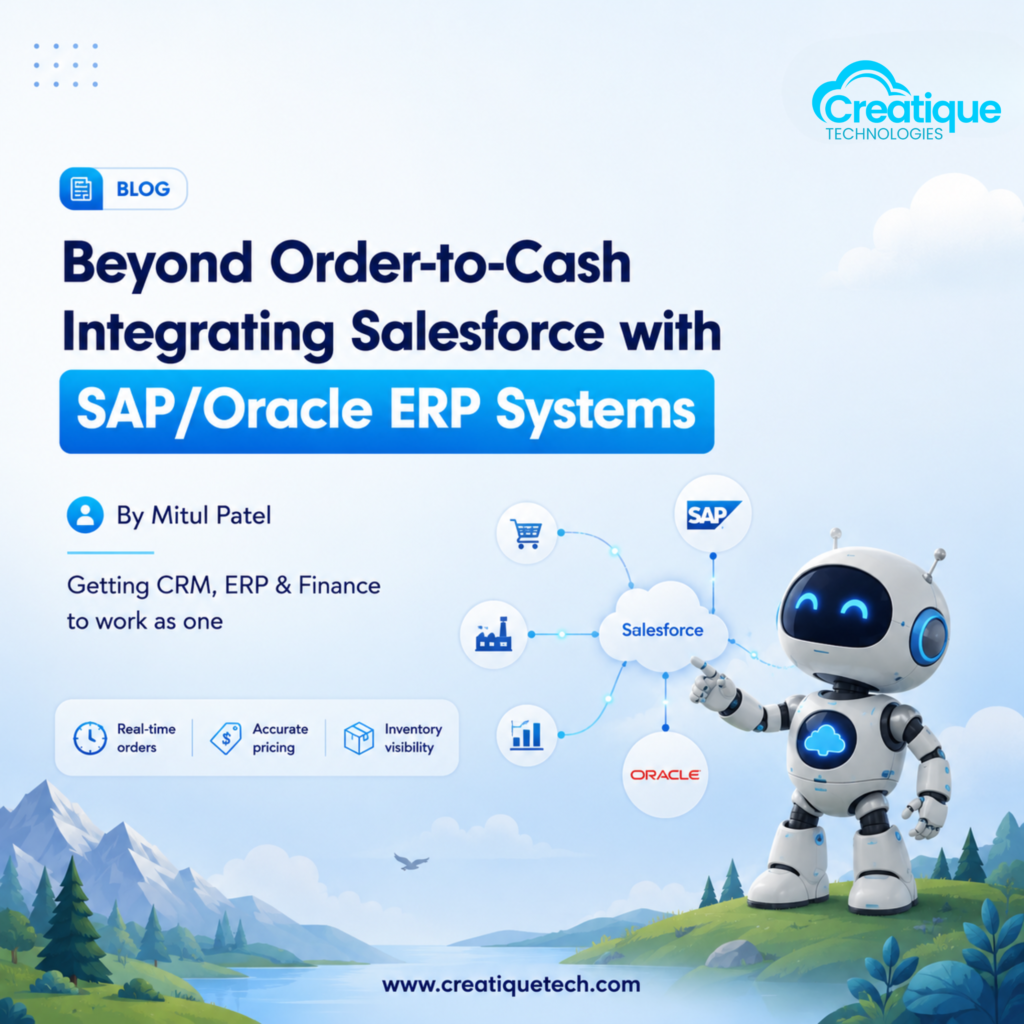
A customer places an order in Salesforce. Three systems now need to agree on what just happened: Salesforce needs the opportunity closed, SAP or Oracle needs a sales order created with the right pricing and inventory allocation, and finance needs it to eventually show up correctly in the general ledger.
Most manufacturers get this working. Very few get it working well.
Why “It Works” Isn’t the Same as “It’s Built Right”
We’ve walked into a lot of manufacturing environments where Salesforce and the ERP technically talk to each other. Usually it looks like one of these:
- A nightly batch job that syncs orders, so Salesforce shows yesterday’s ERP status, not today’s
- A middleware integration built years ago by a consultant who’s since moved on, with nobody left who fully understands it
- Manual re-entry, where a rep’s “closed won” deal still gets typed into SAP by someone in operations
Each of these works, in the sense that orders eventually get fulfilled. But each one also introduces a lag or a point of failure between the moment a customer commits and the moment your ERP actually knows about it. That gap is where inventory gets oversold, prices get mismatched, and finance ends up reconciling numbers that should have matched from the start.
The Core Integration Points That Matter
Before picking a tool or a pattern, it helps to be specific about what actually needs to flow between Salesforce and your ERP.
Order creation. When a deal closes in Salesforce, the ERP needs the order, the customer’s account details, and pricing that matches what was quoted, not a recalculated version that differs by a few percentage points.
Inventory and availability. Sales reps quoting delivery dates need to see real inventory and production capacity from the ERP, not a number that was accurate last week. This is usually the integration point manufacturers underinvest in, and it’s the one customers notice first when it’s wrong.
Pricing and contract terms. If contract pricing, volume discounts, or customer-specific terms live in the ERP, Salesforce needs a reliable way to pull that in at quote time, not push its own pricing logic and hope it matches.
Invoice and payment status. For sales and account teams to have real conversations with customers, they need to see where an invoice stands in the ERP without logging into a second system.
Case and service history tied to orders. When a service case comes in, the rep should be able to see the ERP order and shipment record without switching screens.
Choosing an Integration Pattern
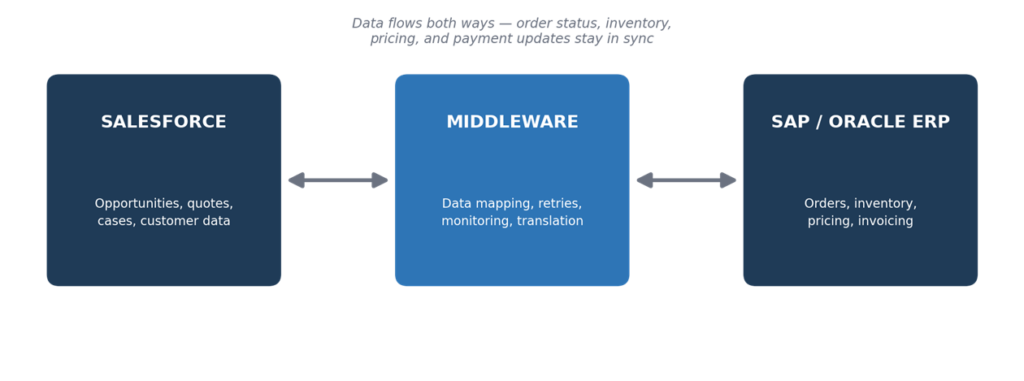
There are three broad ways to connect Salesforce and SAP or Oracle, and the right one depends on how much data volume and real-time accuracy your business actually needs.
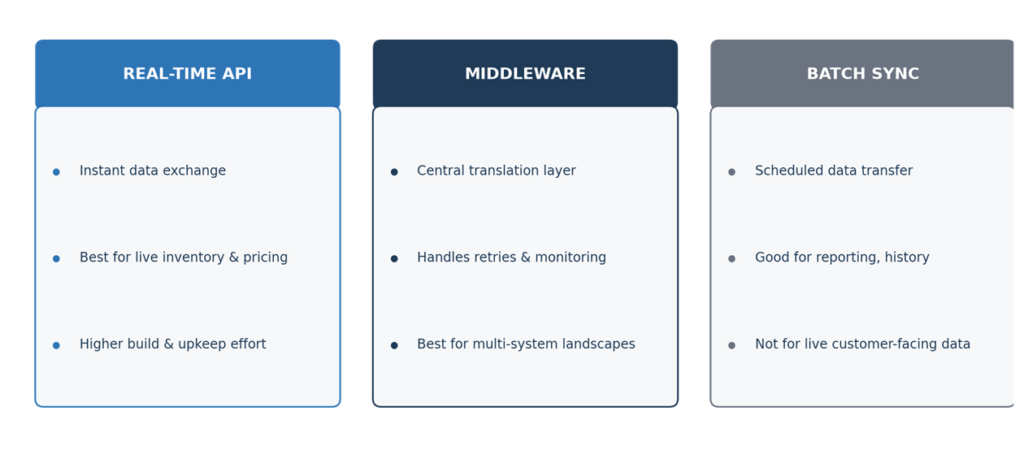
Real-time API integration. Salesforce and the ERP exchange data through direct API calls the moment something changes. This is the right choice when reps need up-to-the-minute inventory or pricing to close a deal confidently. It’s also the most demanding to build and maintain, since both systems need to handle failures gracefully.
Middleware-based integration (MuleSoft, Boomi, or similar). A middle layer manages the translation between Salesforce’s data model and the ERP’s, handles retries, and gives you a single place to monitor what’s flowing where. For most mid-sized manufacturers juggling multiple downstream systems, this is the more sustainable long-term choice, even though it’s a bigger upfront investment than a point-to-point connection.
Batch synchronization. Data moves on a schedule, hourly or nightly, rather than instantly. This still has a place for lower-priority data like historical reporting, but it should not be the pattern for anything a sales rep or customer sees in real time.
Most manufacturers end up with a mix. Order creation and inventory checks run in real time, while reporting and historical reconciliation run on a batch cycle. What matters is choosing intentionally rather than defaulting to whatever pattern was easiest to stand up first.
Where This Connects to Agentforce and Data Cloud
If you’re building toward agentic automation, like an agent that creates ERP orders automatically after a deal closes, the integration layer underneath has to be solid first. An agent making decisions off stale inventory data or a broken sync job doesn’t fail quietly. It creates orders that can’t actually be fulfilled, or promises delivery dates the plant can’t hit.
The manufacturers who get the most out of Agentforce and Data Cloud are the ones who treated ERP integration as foundational infrastructure, not an afterthought bolted on once the CRM side looked good.
Common Pitfalls We See
Treating the integration as a one-time project. ERP systems change, Salesforce releases change, and business rules change. An integration built and never revisited tends to quietly drift out of sync until someone notices a pricing discrepancy the hard way.
No clear system of record. If both Salesforce and the ERP can edit the same field, you need an explicit rule for which system wins when they disagree. Without it, teams start trusting neither system fully.
Underestimating data mapping work. Salesforce’s data model and SAP’s or Oracle’s are built on different assumptions. Product hierarchies, customer records, and pricing structures rarely map one-to-one, and this mismatch is usually where integration timelines slip.
No monitoring or alerting. When a sync job fails silently, the first sign of trouble is often a customer complaint. Build alerting into the integration from day one, not after the first incident.
Getting This Right
Start by mapping exactly which fields and objects need to move between systems, and how fast that movement needs to happen. Not everything needs real-time sync, and treating all data as equally urgent is how integration projects become unmanageably complex.
Then pick the pattern that matches your actual volume and accuracy needs, not the one that’s trendiest. A mid-sized manufacturer with a few hundred orders a month doesn’t need the same architecture as an enterprise processing thousands.
Final Word
Order-to-Cash inside Salesforce is only half the picture. The other half lives in your ERP, and how well those two systems talk to each other determines whether your sales team is working with real information or a best guess. Get the integration layer right, and everything you build on top of it, from CPQ to Agentforce, actually holds up.
Want Your Salesforce and ERP Systems Working as One?
At Creatique Technologies, we help manufacturers design and build integrations between Salesforce and SAP or Oracle that hold up under real order volume, not just in a demo.
Book a free ERP integration assessment with our team today.