A distributor logs into your portal and exports a report of every dealer price in their region. A departing sales rep downloads the full account list the week before they leave. A contractor with broad API access pulls product specifications nobody planned to share.
None of these requires an attacker. They happen with ordinary credentials, ordinary permissions, and a system working exactly as configured. That is the gap Salesforce Shield is meant to close, and it is one most manufacturers don’t think about until after something goes wrong.
Why Manufacturers Hold More Sensitive Data in Salesforce Than They Realize
A manufacturing org rarely stores only contact names and email addresses. Over a few years, Salesforce tends to collect:
→ Contract pricing and volume discount tiers for every dealer and distributor → Product configurations, specifications, and sometimes engineering notes attached to quotes and cases → Customer and supplier records subject to export controls or contractual confidentiality → Warranty and service history tied to named end customers
Add dealer portals, ERP integrations, and AI agents reading this data, and the number of paths to it grows quickly. Standard permissions control who can see a record. They say little about what someone does with that access once they have it.
What Shield Actually Is
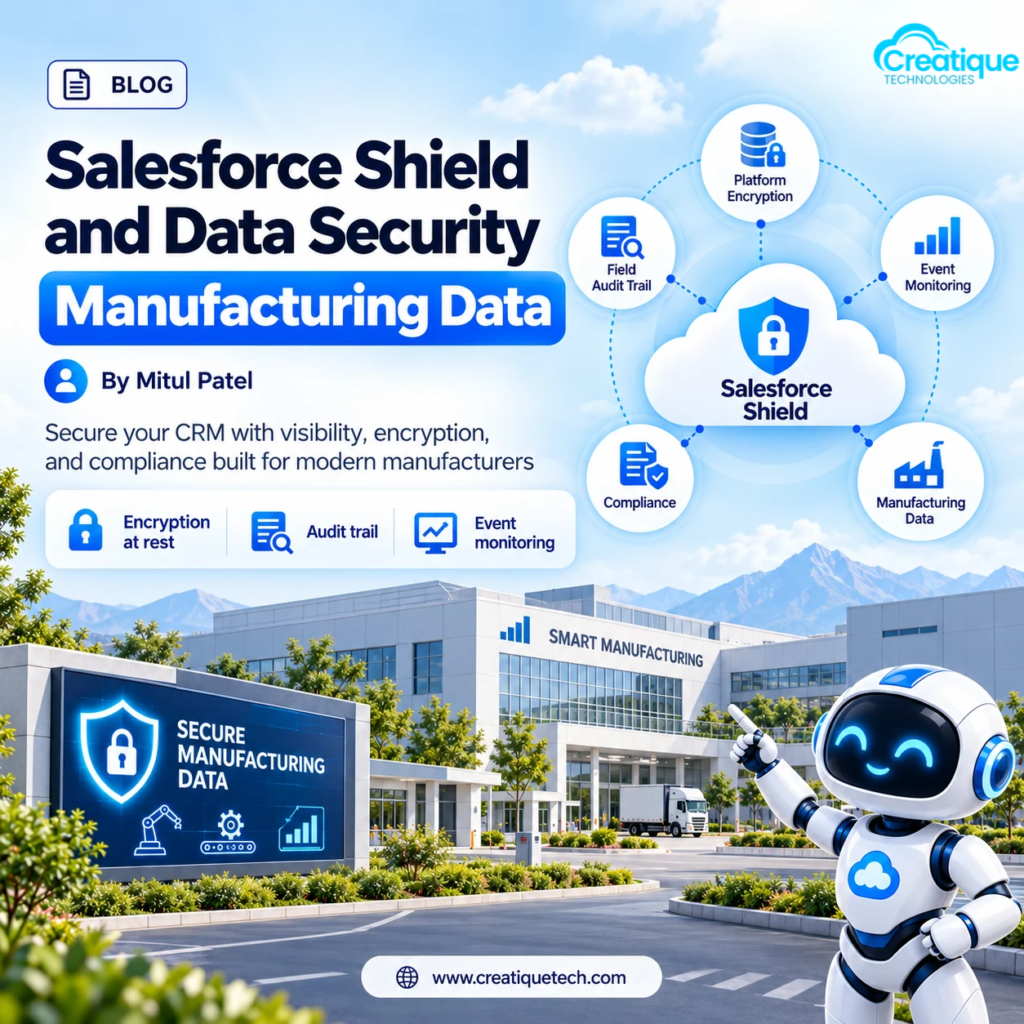
Shield is a paid add-on made up of separate tools that solve different problems. Treating it as one switch is the most common misunderstanding.
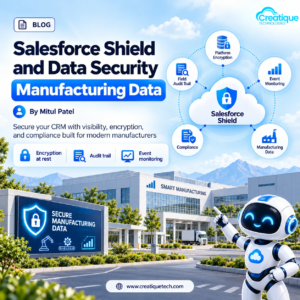
Platform Encryption encrypts data at rest, including fields, files, and attachments, using keys you control. You can bring your own key if your security team requires it. This protects the data itself if storage is ever accessed outside the normal application layer.
Event Monitoring records what users actually do: logins, report runs and exports, API calls, file downloads, and similar activity. This is the visibility layer. It answers questions like who exported that report and from where.
Field Audit Trail extends field history retention well past the standard window, up to ten years. If you handle regulated products or long warranty periods, this matters for audits and disputes.
Data Detect scans your org for sensitive data in the wrong places, such as personal or confidential values sitting in free-text fields where nobody expected them.
Transaction Security policies act on the activity Event Monitoring sees. You can set rules that block an action, require extra authentication, or alert someone, for example when a user tries to export a large report.
Matching the Tool to the Problem
It helps to start from the risk rather than the product list.
If the concern is data exposed through storage or backups, Platform Encryption is the relevant piece. It doesn’t stop a legitimate user from viewing a record they can already see.
If the concern is misuse by people with valid access, Event Monitoring plus Transaction Security is where you will get results. Encryption does nothing for the rep who exports your price book, because that rep is allowed to read it.
If the concern is proving what changed and when, Field Audit Trail gives you the history.
If you don’t know where sensitive data lives, start with Data Detect before encrypting anything.
What Encryption Costs You in Functionality
This is the part that gets skipped in sales conversations. Encrypting a field changes how it behaves. Depending on the encryption scheme, searching, filtering, sorting, and some formula or reporting uses can be limited or behave differently. Some standard features don’t work on encrypted data at all.
That is a design decision, not a reason to avoid encryption. It does mean you should be selective. Encrypt the fields that genuinely need it, such as contract terms or certain customer identifiers, and leave routine fields alone. Encrypting everything is a good way to break reports your sales team relies on.
Test in a sandbox before you turn anything on in production, especially for fields used in integrations, flows, or portal pages.
Where This Connects to the Rest of Your Stack
If you run a dealer portal on Experience Cloud, the data a dealer sees is controlled by sharing and permissions, and Event Monitoring tells you what they did with it. If you integrate with SAP or Oracle, encrypted fields can affect what flows between systems, so the integration design needs to account for it.
AI is the newer factor. Agentforce and tools like Salesforce in Claude run with the permissions of the person using them, so any over-broad access carries straight through. Tightening permissions and monitoring activity matters more, not less, as more of your team works through agents.
Common Mistakes
Buying Shield before cleaning up permissions. Shield adds visibility and protection on top of your access model. If too many people can see too much, fix that first. It costs less and removes more risk.
Encrypting broadly without testing. The fields you encrypt on day one are often the ones a report or integration quietly depended on.
Turning on monitoring and never looking at it. Event data nobody reviews is expensive storage. Decide who reads it, how often, and what triggers action.
Setting policies with no owner. A Transaction Security policy that blocks exports will eventually block a legitimate one. Someone needs to own the exceptions.
Forgetting key management. If you manage your own keys, losing access to them can mean losing access to your data. Document the process and who is responsible.
A Practical Way to Start
- List the data that would hurt most if it left your org. Contract pricing and specifications are usually near the top.
- Find where that data actually lives, including free-text fields and attachments.
- Review who can see and export it, and tighten permissions first.
- Turn on monitoring for the highest-risk activity, such as large report exports and unusual API volume, and assign someone to review it.
- Encrypt the few fields that need it, after testing in a sandbox.
Final Word
Security in Salesforce is mostly about knowing who does what with the data they can already reach. Shield gives you the tools to see it and set limits, but it works best on top of a permission model you’ve already tightened. Start with the data that matters most, protect that well, and expand from there.
Product capabilities and licensing change with each release, so confirm current Shield features and pricing with Salesforce before planning a rollout.
Want a Second Look at Your Org’s Data Security?
At Creatique Technologies, we help manufacturers audit permissions, identify sensitive data, and decide which Shield capabilities are worth turning on.